



Why a brand newsroom?
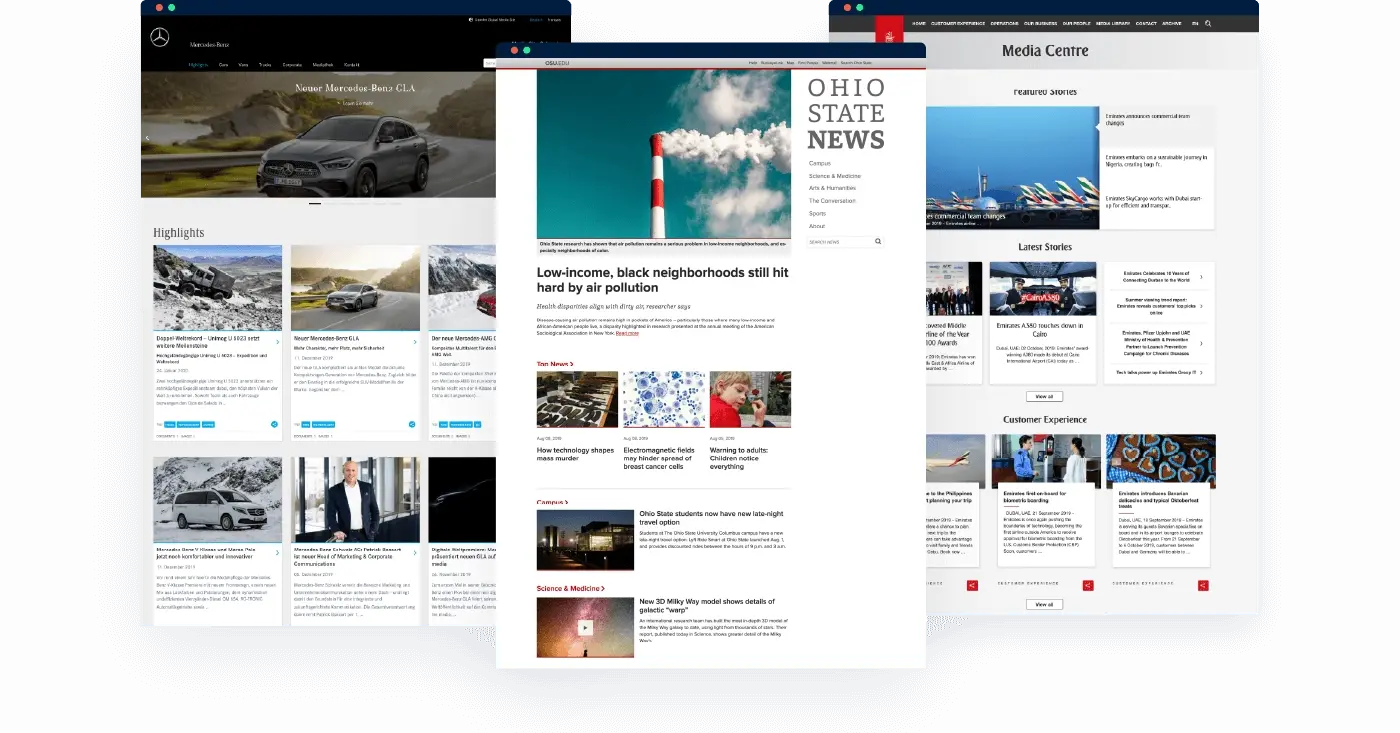
Newsrooms are conversation starters. They are the window into company life and provide a unique opportunity to speak directly to your audiences - including the media, bloggers and influencers, investors and stakeholders, your customers, and sometimes the general public.
Your brand newsroom is an asset you own. Unlike social media or third-party platforms, there is no algorithm deciding what gets shown, no rules changing overnight, and no intermediary standing between your story and the people looking for it. That gives your communications team something increasingly rare: full control over how your brand's story is told.
That control matters more than ever. When a journalist researches your company before a call, they go looking for a reliable source. When an AI system generates an answer about your industry, it pulls from whatever is publicly available. In both cases, what your newsroom contains - and how clearly it is structured - shapes whether your version of the story is the one that gets found and used.
Think of your brand newsroom as your story on record. Current, structured, and available to anyone who needs it - whether that's a journalist on deadline, an investor doing due diligence, or an AI system assembling an answer about your industry.
This Ultimate Guide will walk you through the key steps to build and manage a brand newsroom that gives your communications team the control, clarity, and visibility your story deserves.
It's designed as a starting point to set up a tailored handbook for your organization. Adapt and use any relevant sections, and add, remove, or change up the sections to suit your needs. Importantly, your handbook should evolve as your strategy and your team evolves.

Corporate newsrooms inspiration guide
Check out how others have structured their corporate newsrooms to achieve their PR goals with our free guide.

1. Prepare a newsroom strategy
As you develop your digital newsroom, preparation is key. Your team needs to think about short-term goals, a long-term strategy, and your overarching communications approach. Decide on your priorities and give them each a weighting. Read this handbook to guide you through the process and create your own to adapt it to your needs.
Set goals for your brand newsroom
Most PR teams develop their strategies yearly. Since a newsroom might be a crucial part of your PR activities, it makes sense to align it with the overall PR goals. Your newsroom PR strategy should document the newsroom team’s 12-month goals, a plan for how you’re going to achieve them, and metrics for success. You can start by looking at what has worked well in the past, identifying gaps, looking for new opportunities to get your message out, and conducting competitor research.
All good strategies start with clear goals. What would success look like 12 months from now? Your newsroom’s goals should integrate with wider PR and Marketing goals, as well as the organization’s business goals.
Here are some examples of long-term PR goals you can draw inspiration from in our newsroom management system guide; these are quite general, but you should make yours as specific as possible.
- Get X pieces of earned media coverage in national titles and X pieces of trade coverage.
- Increase traffic to the newsroom by at least X% by issuing at least one press release or blog post per week.
- Creating content which can be repurposed by other departments or for other communication channels.
- Run a simulated crisis response to practice exactly how your newsroom would respond in real-time if a crisis broke out.
- Establish X new relationships per month with both trade media and national journalists.
Each goal should be tied to one or more KPIs and metrics. Common PR metrics include impressions, website traffic, social media engagement, share of voice, and sentiment analysis. For teams focused on AI visibility, metrics like AI Citation Share (how often your newsroom content is cited by AI platforms) and Time-to-Truth Publishing (how quickly verified information reaches public channels) are becoming increasingly relevant benchmarks.
5 PR analytics to measure owned media
Track what really matters, from AI Citation Share to narrative impact and newsroom engagement.
|
ActionPut a strategy day in the calendar for the whole PR team where you will discuss the coming 12 months and make a plan. |

Edelweiss, Switzerland's leading leisure airline and a member of the Lufthansa Group, manages all press activity with a communications team of four - publishing across four languages and multiple markets from a single platform.
Before Presspage, each press release was built as a PDF and sent via Outlook. Publishing one release across three languages and multiple markets meant repeating the same manual steps up to ten times, at a cost of roughly one hour per release.
With Presspage, Edelweiss cut publishing time by 80% and brought multilingual distribution into a single workflow.
Identifying your target audiences and key messages
It’s crucial to know which audience you’re creating content for. The focus might be entirely different depending on whether you’re writing primarily for investors or customers. Target audiences are the people you want to reach, and key messages are the ‘take-aways’ you want them to go away with after they engage with your content.
If you gear all the content in your online newsroom software toward two or three key messages consistently, your audiences will come to understand them.
Examples of target audiences:
- Journalists
- Customers
- Investors and prospective
- Investors Employees and potential employees
- Partners
- AI systems
That last one is worth taking seriously. When AI platforms generate answers about your industry, your competitors, or your brand directly, they draw from publicly available content. A newsroom that is clearly structured, regularly updated, and written in plain declarative language is more likely to be understood, selected, and cited correctly - by machines as well as people.

HOW Smart Automobile IncreaseD NEWSROOM TRAFFIC BY 450% by using relevant content
This growth was facilitated by the establishment of 13 different local newsrooms across Europe via Presspage, ensuring that content standards are maintained globally while allowing for local relevancy. The platform also serves as an internal single source of truth, streamlining access to approved assets and information.
|
ActionWrite a list of all the audiences your company wants to reach. Craft one key message for each audience. |

2. Create a content strategy
Set quality standards for your newsroom content
To ensure quality and stories that match the mission, visions, and values of your company, don’t forget to include journalistic/corporate communication standards in the newsroom management system guide.
Examples of ethical standards:
- Always go for authentic stories and be truthful and transparent with your audience.
- If possible, use original images and videos. Stock photos can be the exception, but make sure to identify them as such, buy the royalty if necessary and attribute.
- Respect others’ privacy.
- Your company’s mission, visions, and values should be embodied in the content.
After the goals, strategy, approach, and phases have been defined you can start writing your first content pieces, creating or rebranding the newsroom to fit the new needs.
Define your tone of voice
A start-up tech company that is positioning itself as a challenger is likely to use an energetic, modern and less formal tone of voice, while a well-established financial institution might be more traditional and formal. What tone of voice suits your brand? And how will this be incorporated in the newsroom?
To take another example, a clothing line that produces apparel for skiers and skateboarders will use young, fun language and might even incorporate some slang, but a law firm will stick to an educated, formal, trustworthy tone of voice.
|
ActionWrite down some guidelines on your company’s tone of voice that the whole team can agree on and refer back to. |
Topics for your newsroom
What kinds of content are you going to populate your newsroom with? We’ve talked about all the different ways you can communicate – from press releases to podcasts and videos to infographics, but what do you want to say?
Choose the most relevant types of content from this list – and brainstorm your own too:
- Company news: Make a note of events like a new CEO appointment, an organization-wide change, investment rounds, acquisitions, or strategic decisions that you can make public.
- Q&As: Ask your customers to share their questions about your company on your social channels and create content with the responses.
- Industry News: Create a round-up of the biggest news stories impacting your industry each week with links to the full stories.
- Thought leadership: Share your expertise in your sector or help solve a major problem by offering original insights in the form of Thought Leadership.
- Behind-the-scenes: Can you show your audiences some of the secrets of how your products and services are created?
- Meet the team: If you’re using content as a way to reach potential recruits, you can do ‘A day in the life of…’ employees in different departments to attract them.
|
ActionBrainstorm the types of content that will work best for your organization and decide which ones you’re going to implement. Use two categories – regular features for ongoing campaigns you will do each week or month, and special features for one-off campaigns that will take place sporadically. |
Thought Leadership
Thought leadership is how communications teams build lasting authority for their brand. By publishing original perspectives, expert analysis, and informed commentary on the topics that matter in their industry, brands become the go-to source that journalists quote, stakeholders trust, and, increasingly, AI systems cite.
When an AI platform generates an answer about your industry, it draws from the sources it considers credible and well-structured. Brands with a consistent record of clear, well-attributed thought leadership on their owned channels are more likely to be part of that answer.
Identify the areas your company wants to be known for - topics tied directly to the business, its mission, or its values. These should be addressed consistently in your content, and published on channels you control.
Thought leadership in PR: What it is, how it works, and how to build influence
How PR teams can use thought leadership to build authority, earn media coverage, and get cited by AI systems.
|
ActionMake a list of the thought leaders at your company and the topics they can speak credibly on. |
Prepare a crisis communications plan
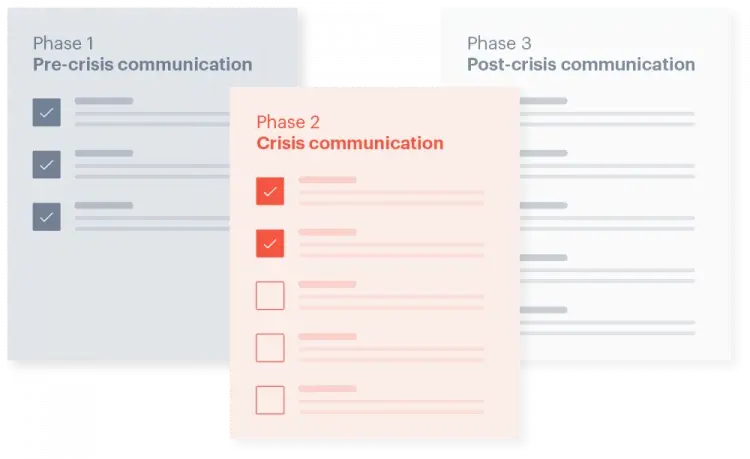
Every organization will face a PR crisis at some point. The question is not whether it will happen, but whether your team is ready when it does. A crisis communications plan should be documented, stored somewhere central, and reviewed at least once a year, not drafted under pressure when a situation is already unfolding.
A useful way to think about crisis preparedness is through the Crisis Lifecycle Framework:
- Sense - Monitor for early warning signals: media coverage, social media sentiment, internal alerts, and emerging issues before they escalate.
- Frame - Understand what the issue means. Define the narrative risk, identify the stakeholders affected, and clarify what is known and what is not yet known.
- Manage - Align internally. Bring PR, legal, leadership, and relevant operational teams into a shared view before any public communication goes out.
- Act - Communicate clearly and quickly. Publish verified updates, holding statements, and media responses from a single, controlled source.
- Recover - Rebuild trust. Correct misinformation, explain what actions have been taken, and show what has changed.
- Improve - Learn from the experience. Update your playbooks, templates, and monitoring processes so your team is better prepared next time.
Your newsroom plays a central role in the Act stage - and in every stage that follows. When a crisis breaks, journalists, stakeholders, and AI systems all go looking for information. If your owned channels are silent, outdated, or hard to navigate, that gap gets filled by other sources. A newsroom that allows you to publish verified updates quickly, make changes as facts develop, and maintain a clear timeline of statements gives your team control over the narrative at exactly the moment it matters most.
Make sure your newsroom setup allows for fast publishing without unnecessary approval bottlenecks. Pre-draft holding statements for your most likely crisis scenarios and keep them on file. Brief all key stakeholders on the role the newsroom plays so that when a situation develops, everyone already knows where the single source of truth lives.
|
ActionIdentify three potential crises your company might face at some point and have the team draft short holding statements to be kept on file in case they come up. |
3. Set up a publication process
Ideation and Storyboarding
At the earliest stages, set aside time for ideation. Brainstorm lots of different ideas, and when you’ve come up with one that’s a good fit for this project or campaign, start storyboarding it. Ask a lot of questions at this point:
- How are you going to bring it to life?
- Which of the target audiences identified above is it aimed at?
- What team members will be involved and how much of their time will it take?
- What key messages will come through?
- How will it be distributed and promoted?
- Which goal is it tied to and how will you measure its success?
When you’re satisfied that this is the right piece of content to meet your goals, you can add it to your content calendar and move on to the next stage of our newsroom management system guide.
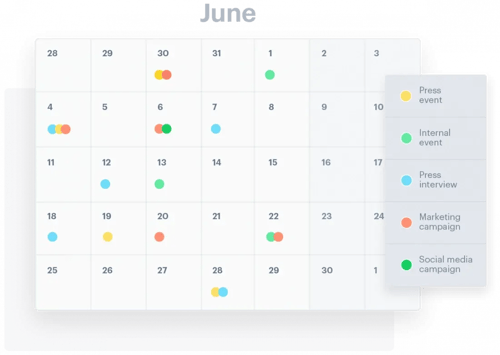
Create a content calendar
Instead of rushing off and creating a bunch of new content all at once, it’s better to create a content calendar and spread all your great ideas out through the year.
You can create your content calendar in Excel or Google Sheets, and populate it with all the important campaigns for the coming year. This might include:
- Important company dates: High-level dates to include here may be the beginning and end of the financial year, budget deadlines, expected product launches, the organization’s anniversary and major annual events.
- Planned PR activity: Using a color code, mark off planned press releases, interviews, forward features, social media posts, advertising campaigns, and blog activity.
- Planned events: Mark off exhibitions the organization plans to attend, as well as conferences and speaker opportunities. Does the company hold a sales conference, an annual think-in, or a corporate team-building exercise? Include that too.
- Holidays: What day does Christmas fall on this year? What public holidays do your target audiences celebrate? What dates will kids break up from school for the summer? These things impact your employees as well as consumers.
The content calendar is a helpful tool to make sure you publish content in line with the new communication strategy and goals. All approved content ideas should be included on the calendar.
Also, write out the steps from an idea to a pitch to an approval. Set a deadline for new ideas. Describe the way to submit a new idea, the components which should be added in a proposal, and the process for approval.
Lastly, include the day and time of a recurring meeting to go over the content calendar and discuss upcoming articles. Add instructions for the people involved in the calendar meeting so they can come prepared (invite other departments if they will repurpose the content so they can plan accordingly).
|
ActionCreate your content calendar using the tips laid out above in our newsroom management system guide. |
Content creation
Now for the fun part – creating your content. If it’s a press release you’ll start contacting relevant people for quotes; if it’s an article you’ll start writing; if it’s a podcast or a video you’ll be scripting it.
Once your main body of content is created, you’ll need supporting assets: striking images, social media cards, voiceovers, and graphic design. Make sure you’ve booked time with all the team members you’ll need to make it happen, from photographers to designers to freelance writers, and that they all know in what capacity they’ll be involved.
Once you’ve got a solid first draft or cut, it’s time to get your piece edited.
SEO and GEO Guidelines for content creation
SEO: Search Engine Optimization
SEO is about structuring your content so search engines can understand it, index it, and serve it to the right audience. In fact, PR SEO is so important that we have a whole newsroom management system guide(ebook) dedicated to it – but here are some quick and dirty tips for now, which will come in handy if one of your newsroom goals is to increase traffic.
- Search intent first, keywords second. Before writing, ask what your audience is actually trying to find. A journalist researching your company has different intent to a customer comparing products. Your content should be built around answering a specific question or need, and keywords follow from that, rather than the other way around.
- Traffic potential over search volume. A keyword with 500 monthly searches but low competition and high relevance will perform better for your newsroom than a high-volume term you have no realistic chance of ranking for. Focus on terms where you have a credible chance of appearing on page one.
- Length and structure matter. Longer, well-structured articles tend to rank better, not because of word count alone, but because they cover a topic thoroughly and give readers reasons to stay. Use clear H2s and H3s, include relevant internal links to related newsroom content, and avoid burying the most important information deep in the page.
- Image optimization. Search engines can't read images but they can read the words used to describe them. Use descriptive, specific file names and alt text. Keep image file sizes manageable so page load speed isn't affected.
GEO: Generative Engine Optimization
GEO is about making sure AI systems - ChatGPT, Perplexity, Gemini, and others - can understand, trust, and cite your content when generating answers about your industry or your brand. AI-powered search is changing how journalists research stories, how stakeholders find background information, and how your brand's reputation gets assembled before anyone has spoken to you directly.
A few principles for GEO-optimized newsroom content:
-
Write in clear, standalone statements. AI systems extract sentences and passages from pages, not entire articles. Every key claim, definition, or position in your content should be able to stand alone and make sense out of context.
-
Answer questions directly. Start sections with a direct answer before adding context or nuance. AI systems favor content that gets to the point quickly.
-
Use FAQ blocks. Frequently asked questions are highly extractable by AI systems and also improve SEO. For any major newsroom topic, consider adding a short FAQ section at the end.
-
Add structured data markup. Schema markup helps AI systems and search engines understand what your content is about and who it comes from. At minimum, newsroom articles should include BlogPosting or NewsArticle schema with a named author and publication date.
- Keep content current. AI systems favor sources that are regularly updated. Outdated pages - old statistics, superseded statements, stale product information - are less likely to be cited and more likely to be contradicted by fresher sources elsewhere.
How to optimize your newsroom for SEO & GEO
A practical guide to making your newsroom content visible to both search engines and AI systems in 2026.
|
ActionAudit your five highest-traffic newsroom pages. Check each one for clear standalone statements, a direct answer in the opening paragraph, and up-to-date information. These are your highest-priority SEO & GEO optimization targets. |
Edit your content pieces
The editing process is really important. Usually, it involves someone who’s been outside of the process so far looking at the work to date and making recommendations on the language and style of the piece, while keeping the newsroom management system guide in mind. This will include proof-reading to ensure it’s error-free but also looking at the clarity and how the piece flows.
Often, several stakeholders will need to be involved in the editing process, providing feedback and approval at every level before publishing.
Keep track of deadlines
Deadlines help you stick to publishing what’s your content calendar. Establish clear ones for each content piece so all parties involved can work on a timely matter. A powerful piece will probably involve a cross-functional team including subject matter experts, a copywriter, designers and maybe photographers or videographers. Everyone has different business priorities and workloads, so make sure your deadlines are realistic and send regular reminders to ensure the piece is published on time.
Distribute your content
For most of your content, you’ll want to reach as many people as possible – so you’ll distribute it in several different ways. Some of the most popular ways to promote your company’s content include:
- Email marketing: Send a mailshot to your database
- Social media: Share it on Facebook, LinkedIn, Twitter and Instagram (hint, you can do this more than once for best results!)
- Earned media: Engage with journalists and see if you can get some local, national, or trade coverage for your latest campaign.
- Events: You can hold a public event to create even more of a buzz around your campaign.
If you’re using Presspage, distribution after using our newsroom management system guide is super simple – you can schedule and publish content for all your channels from your Presspage account. You can use our simple drag and drop features to create beautiful content even if you’re not a designer, from press releases to blog posts, and even schedule your social media.
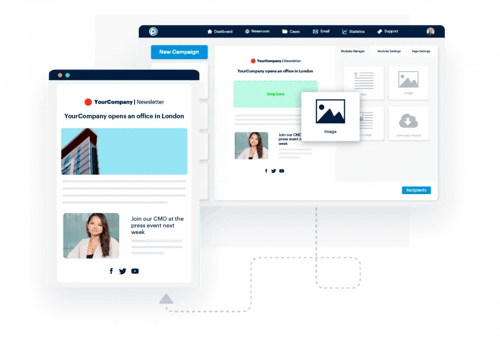
You can upload your own contacts list, or take advantage of our media list of over 900,000 contacts. It’s GDPR compliant, always up-to-date, and it makes your distribution and outreach for PR campaigns a cinch! You can also monitor your interactions with individual journalists to build stronger relationships.
After publishing
After weeks and sometimes months of work following this newsroom management system guide, you’ve finally hit publish! But alas, your work is not over. Now it’s time to make the most of it – sending it to the right journalists, creating email blasts to reach your customers, and sharing it on social media for maximum traction. For major campaigns, you might even want to put some advertising money behind it.
Through this process, you should also be keeping a close eye on feedback – what comments are appearing on your posts? Are they positive or negative? Do they need a reply? Who’s engaging, and who’s not? Feedback is an essential part of the process, ensuring you get the credit when things go well, and that you can identify learnings for next time.
With extensive preparation and editing rounds before publishing content, most likely you will not have to make any edits after something has been published. To be prepared, however, describe what to do after a content piece has been published and it needs to be removed/amended.
Repurposing content from – and for – other departments
PR teams work closely with departments across the entire company but work especially closely with related teams like Social Media, Marketing and Events. At some companies, these roles may all exist within one department, while in larger companies they will function separately.
You can create benefits for the whole organization by working together instead of in silos. For example, if you have a launch event and you’re issuing a press release to the newsroom, you can share some of the extra photos you’re not using in the release with the social media team.
You should also maintain good relationships with leaders in other departments, as they are often the subject matter experts you will rely on for thought leadership pieces. One way of doing this is by helping them advance their reputation; if you create a great piece of thought leadership featuring some of the company’s senior leaders, help them to promote it easily on social media so they get the kudos and you get more traffic.
Tracking your newsroom’s content performance
Was your PR campaign a success? What was its impact? How do you know? Once your campaign has ended, it’s crucial to track the metrics, see who engaged with your content and how they can be re-engaged again in the future.
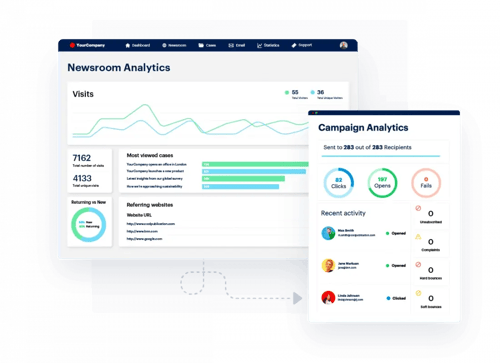
If you’re using Presspage, your analytics are a built-in part of the funnel. You can easily glean key insights and see visuals that demonstrate how your content is performing. This makes it easy to measure results, define improvement points, and demonstrate ROI.
|
ActionGet to work! It’s time to start creating and distributing your PR content using this newsroom management system guide. |
Conclusion
With the right planning and resources, the launch of your newsroom is sure to be a success. Your playbook will evolve and change as your newsroom matures into an active part of your relationship with all of your stakeholders.
It will become a go-to resource for new members of your team, and a handy guide to refer back to for those who have been around a while. Aim to review and update it at least once every 12 months as you find out what works for you. Don’t forget to ask the whole team for feedback, as you continue to grow and improve every day.
Every business is different and every newsroom is too – so this playbook is designed as a guide that you can tweak and amend according to what suits you best. The important thing is to have a clear set of processes in place, so that everyone on the team understands your PR goals and how you’re planning to achieve them. Don’t be afraid to pivot and incorporate changes according to what works for you – and new trends in PR, Social Media, and Content Marketing.
What stays constant is the value of having a single, controlled place where your brand's story is always current, always findable, and always told in your own words. In a world where journalists, stakeholders, and AI systems are all drawing from whatever is publicly available, that kind of ownership matters more than ever.

Want to learn more about PR? We’ve got you covered.
Explore more of our free resources today!